
Clover Casino App Download
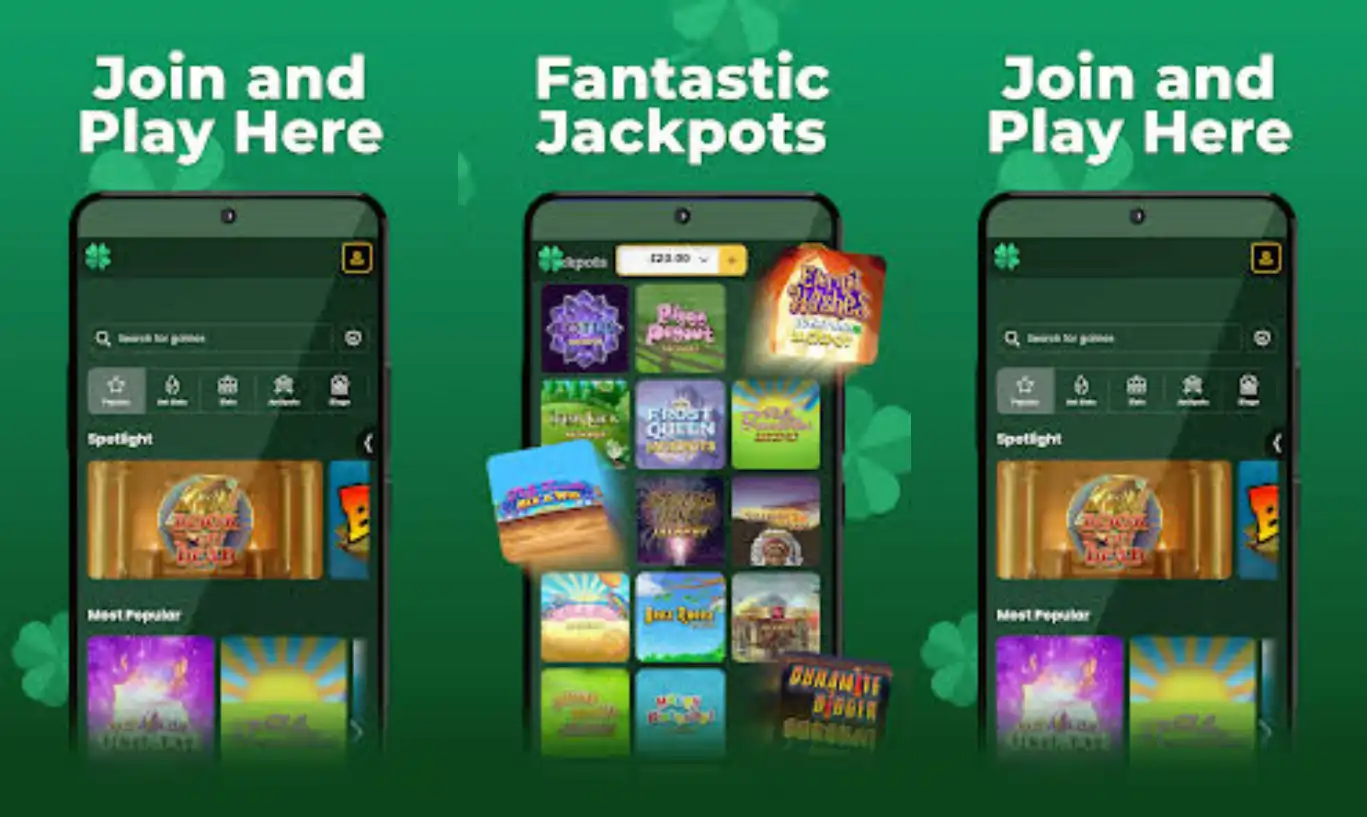

Welcome to Clover Casino, your mobile gateway to a full library of slots, live casino tables, and daily rewards that fit right in your pocket. We built our platform so you can carry the fun with you wherever you go, whether you're waiting for a bus or relaxing at home. At Clover Casino, we've designed the app experience to feel just as smooth and responsive as playing on a desktop, without sacrificing any of the games or features you love.
Since launching, our casino has grown into a trusted UK-facing brand, and the mobile experience has become one of the main ways our members enjoy their favorite titles. Below, we'll walk you through everything you need to know about getting started, from installation to claiming your first bonus.
App Features and Interface
We at Clover Casino guarantee a clean, uncluttered layout that puts your account balance, promotions, and game categories within easy reach. The interface adapts automatically to your screen size, so navigation stays simple whether you're on a compact phone or a larger tablet.
| Feature | Details |
|---|---|
| Platform Type | Browser-based mobile app |
| Compatible Devices | Android and iOS smartphones and tablets |
| Login Speed | Saved sessions for faster access |
| Game Loading | Optimized for mobile data and Wi-Fi |
| Storage Required | None - no download from app stores needed |
Security and Licensing
Choose Clover Casino, and we're here to make sure your data and funds remain protected at every step. We operate under a UK Gambling Commission license for customers in Great Britain, while the Alderney Gambling Control Commission covers players outside Great Britain. Every transaction made through the app is encrypted, and account verification follows standard due diligence checks before any withdrawal is processed.
We built Clover Casino's app to reflect the same regulatory standards as our desktop site, so you never have to choose between convenience and security.
Getting the App on Your Device
Our Clover Casino app is available directly through your mobile browser, meaning there's no need to search app stores or worry about compatibility issues. We've optimized the site so it runs like a native application once you add it to your home screen.
For Android Users
- Open your preferred mobile browser and visit our website
- Log in or register for a new account
- Tap the browser menu and select "Add to Home Screen"
- Confirm the shortcut, and the Clover Casino icon will appear on your device
For iOS Users
- Launch Safari and navigate to our official site
- Sign in or create your player account
- Tap the Share icon at the bottom of the screen
- Select "Add to Home Screen" to install the Clover Casino shortcut
Once installed, the app opens instantly and keeps your session active, so you can jump straight into your favorite slots without repeated logins.
Signing In and Setting Up Your Account
Getting into your account through the app takes just a few taps. We've kept the login process simple so you spend less time navigating menus and more time playing. If you haven't registered yet, joining us is straightforward:
- Open the app or visit our website
- Tap "Register" and fill in your personal details
- Verify your email address
- Add a valid payment card to your account
- Make your first deposit and claim your welcome offer
For players who already have an account, the Clover Casino login screen remembers your details on most devices, making repeat visits even faster.
Games You Can Play On Mobile
The Clover Casino platform brings together more than 500 slot titles from providers like Pragmatic Play, NetEnt, Blueprint Gaming, Big Time Gaming, and Red Tiger. Whether you're into Megaways mechanics, classic 3-reel slots, or Slingo hybrids, our mobile app renders every title cleanly on smaller screens.
- Slots and Megaways titles from leading studios
- Jackpot King progressive games
- 90-ball bingo rooms
- Table games including blackjack and roulette
- Live casino tables featuring blackjack, roulette, and baccarat
Our clover slots collection updates regularly, so you'll always find something new to try during your mobile sessions. Live casino fans can also join real dealer tables straight from their phone or tablet, with smooth streaming even on standard mobile data connections.
Deposits and Withdrawals On the Go
Managing your bankroll through the app is just as easy as on desktop. Our clover deposit and clover withdrawal processes support the same payment methods across both platforms.
- Visa Debit, Mastercard Debit, and Maestro cards
- PayPal, Neteller, and Skrill e-wallets
- Paysafecard for cash-based deposits
- Pay by Mobile, with a small transaction fee
Minimum deposits start at GBP 10, and once your account is verified, withdrawals are typically processed within 24 hours, followed by 1-5 working days for funds to reach your bank.
Claiming Bonuses Through the App
At Clover Casino, we offer generous welcome bonuses that are just as accessible on mobile as they are on desktop. New players funding their account for the first time can take advantage of our current offer directly through the app interface.
| Bonus Detail | Information |
|---|---|
| Welcome Bonus | 50% bonus up to GBP 100 |
| Minimum Deposit | GBP 10 |
| Wagering Requirement | 10x the bonus amount |
| Bonus Code Needed | No |
| Expiry | None |
Beyond the welcome package, we at Clover Casino also run our Daily Wheel, giving every registered player one free spin each day for a chance at extra spins on select titles. There's also our Fluffy Fridays live tournament and rotating cash giveaways, all fully accessible through the mobile app. For full terms on our current offers, check out our Clover Casino bonus page.
Our Customer Support
We offer multiple ways to reach our support team directly through the app if you ever run into questions about clover register steps, bonus terms, or payment processing.
- Live Chat: Available 24/7 for instant assistance
- Email: support@jumpmangaming.com
- Complaints: complaints@jumpmangaming.com
- FAQ Section: Accessible from the app menu

Why Players Choose Our App
Join us at Clover Casino today, and you'll quickly understand why so many players prefer gaming on mobile. There's no lengthy download, no app store approval delays, and updates happen automatically in the background. Our Clover Casino library includes hundreds of titles that load quickly even on modest connections, and the same promotions available on desktop carry over seamlessly to your phone.
We at Clover Casino welcome players who want flexibility without compromise, whether that means spinning a few reels on a lunch break or settling in for a longer live casino session at home.
Final Thoughts
The Clover Casino app brings our full gaming catalog, promotions, and secure banking options into a compact, browser-based package. Whether you're new to our site or a returning player, installing the app takes only a couple of minutes and opens the door to daily rewards, live tables, and a growing slot collection. We invite you to add us to your home screen and see how convenient mobile casino gaming can be.
FAQ
Do you have a downloadable app in app stores?
We don't offer a traditional app store download. Instead, our mobile site works as a browser-based app that you can add directly to your home screen for quick access.
Is the Clover Casino app free to use?
Yes, adding our app to your device costs nothing. You only need funds in your account when you're ready to deposit and play.
Can I claim the welcome bonus through the app?
Absolutely. Our welcome offer of 50% up to GBP 100 is available whether you register on desktop or through the mobile app, with no bonus code required.
What devices support your mobile platform?
We support most modern Android and iOS smartphones and tablets through standard mobile browsers like Chrome and Safari.
How do I contact support from the app?
You can reach our team via live chat 24/7 directly from the app menu, or email us at support@jumpmangaming.com for any account-related questions.
Are withdrawals processed differently through the app?
No, withdrawal processing works the same whether you use the app or desktop site. Once your account is verified, we process cashouts within 24 hours.
Content updated: September 22, 2026